

1
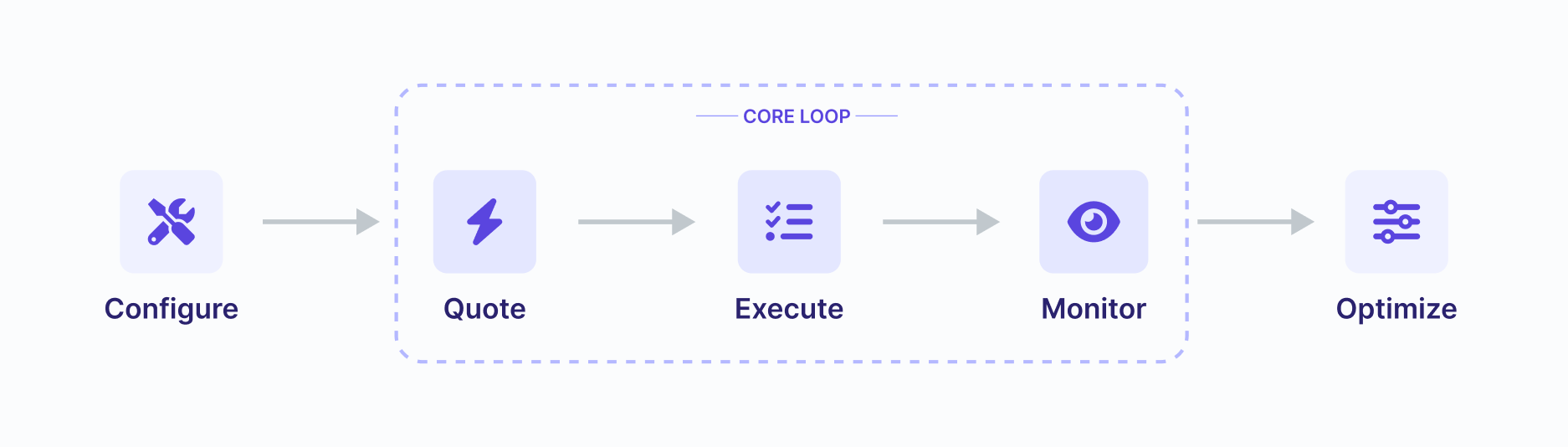
Configure
To see how fast and simple Relay makes transacting cross-chain, let’s bridge real assets between inexpensive L2s—Base and Arbitrum.Prerequisites:
See API keys and Rate Limits for usage and limits.The endpoint exposes a vast amount of chain metadata but the important things to note are:
- Base URL:
https://api.relay.link - Environment: Node.js installed
- Wallet: An EOA with a small amount of ETH (~$2.00 USD equivalent) on Base
API key Provisioning
Create an API key in the Relay Dashboard.See API keys and Rate Limits for usage and limits.
Chain Configuration
For chain metadata we recommend querying the chains API in your application. This will return some valuable information about the chain, we’ve provided a sample below:vmType: This is the type of virtual machine that the chain uses (SVM, EVM, BVM, etc).id: This is the chain id of the chain. Some chains like Bitcoin/Solana/Tron have a custom id that the Relay team chose upon deployment.disabled: This is a boolean that indicates if the chain is disabled. When incidents arise we may disable a chain to prevent users from interacting with it.blockProductionLagging: This boolean indicates if the chain is lagging in block production. You can use this to let your users know about degraded Relay performance in real time.
2
Quote
Every action in Relay starts with a Quote.The quote endpoint handles all of your use cases, whether it’s a bridge, swap, or cross-chain call. It calculates fees, finds the best route, and generates the transaction data.
Note: the
Request
As an example, let’s consider the scenario of bridging 0.0001 ETH from Base (Chain ID 8453) to Arbitrum One (Chain ID 42161):Note: the
requestId will be unique to every request.3
Execute
The quote endpoint returns a
steps array. Think of this as a recipe your application must follow. You need to iterate through these steps and prompt the user to sign or submit them.Deep Dive
For the full logic on parsing steps, see Understanding Step Execution.The Logic
For a simple ETH bridge, thesteps array contains a single transaction item. To execute it:- Check the Step Kind: Identify if the step is a
transaction(submit to chain) or asignature(sign off-chain). - Execute: For transactions, submit the provided
data,to,value, andchainIdusing the user’s wallet. For signatures, follow thesignatureKindprovided in the step item to sign themessage.
The Script (Node.js / Viem example)
Copy the script below to execute the transaction returned by the Quote in Step 2. You’ll need to add the wallet connection logic using your preferred provider.4
Monitor
Once the deposit is indexed, a solver prepares and submits the destination-chain fill. The platform reports progress through the status API.Use the status endpoint with the
Note: Replace with the requestId returned in your quote
requestId located inside each step object in your quote response to track status and confirm success. You can also use the check.endpoint property inside the step item object as the endpoint for checking the status of the request. Note: Replace with the requestId returned in your quote
Deposit-address quotes (
useDepositAddress: true) are the exception. The fill can run under a new requestId, for example when the deposit differs from the quote or the address is reused. When that happens, the quoted requestId never reaches success, and outside Bitcoin it stays waiting. Track those orders by depositAddress with Get Requests. See Tracking Transactions.Status Lifecycle
These statuses track the application’s transaction, not the protocol’s internal settlement and withdrawal lifecycle. Refer to Get Status for the full list.waiting: The deposit transaction has not yet been indexed. Execute the deposit steps returned in the quote.depositing: The origin deposit is being processed after submission through the/executeAPI.pending: The deposit was indexed and the request is awaiting completion of the destination fill.success: The destination fill completed and the requested output reached the recipient.
5
Optimize
You have successfully executed your first cross-chain transaction with Relay!
Check out some of the advanced features we offer to customize the experience:
- App Fees: Monetize your integration by adding a fee (in bps) to every quote. Revenue is collected automatically in USDC.
- Smart Accounts: Use ERC-4337 and EIP-7702 to enable Gas Sponsorship and Atomic Batching (e.g., Approve + Swap in one click).
- Transaction Indexing: Handle complex settlement scenarios, like tracking complex same-chain wraps or transfers.
Try it in a Sandbox
Experiment with the Quickstart code in our interactive sandbox. You can fork or clone it to build your own project with Relay.See Also
- Bridging & Onboarding: Learn more about instant cross-chain deposits and withdrawals.
- Swaps: Combine bridging with DEX meta-aggregation for any-to-any token swaps.
- Call Execution: Execute arbitrary transactions on any chain, paying with any token.